Adding Fonts
Bring font files, folders, installed fonts, archives, and design sources into TransType.
Add files
Choose File > Add Font Files… or drag files into the window. The file
dialog recognizes these current source groups:
- OpenType and TrueType:
.ttf,.otf,.ttc - PostScript Type 1:
.pfb,.pfa - Webfonts:
.woff,.woff2 - Unified Font Object:
.ufo,.ufoz - FontLab:
.vfb,.vfc,.vfj - Fontographer:
.fog - Glyphs:
.glyphs - SVG fonts:
.svg - ZIP archives with font files:
.zip
The general Fonts filter also accepts .txt and any file, which allows the
underlying importer to inspect compound or legacy sources not represented by a
dedicated filter.
WOFF2, UFOZ, VFC, VFJ, FOG, and Glyphs are additions to the TransType 5 file
dialog compared with TransType 4.
Add a folder
Choose File > Add Folder… to scan a folder and its subfolders. A .ufo
package is treated as one font source instead of an ordinary directory.
Large folders can take time to scan. Use the progress control to stop an
import. Files that cannot be parsed are skipped and reported in the import
log.
Add installed fonts
Choose File > Add Installed… to search fonts available through the
operating system. You can filter by part of a font name or writing system. The
font must be accessible to the application; a font listed by the system can
still fail if its data cannot be read.
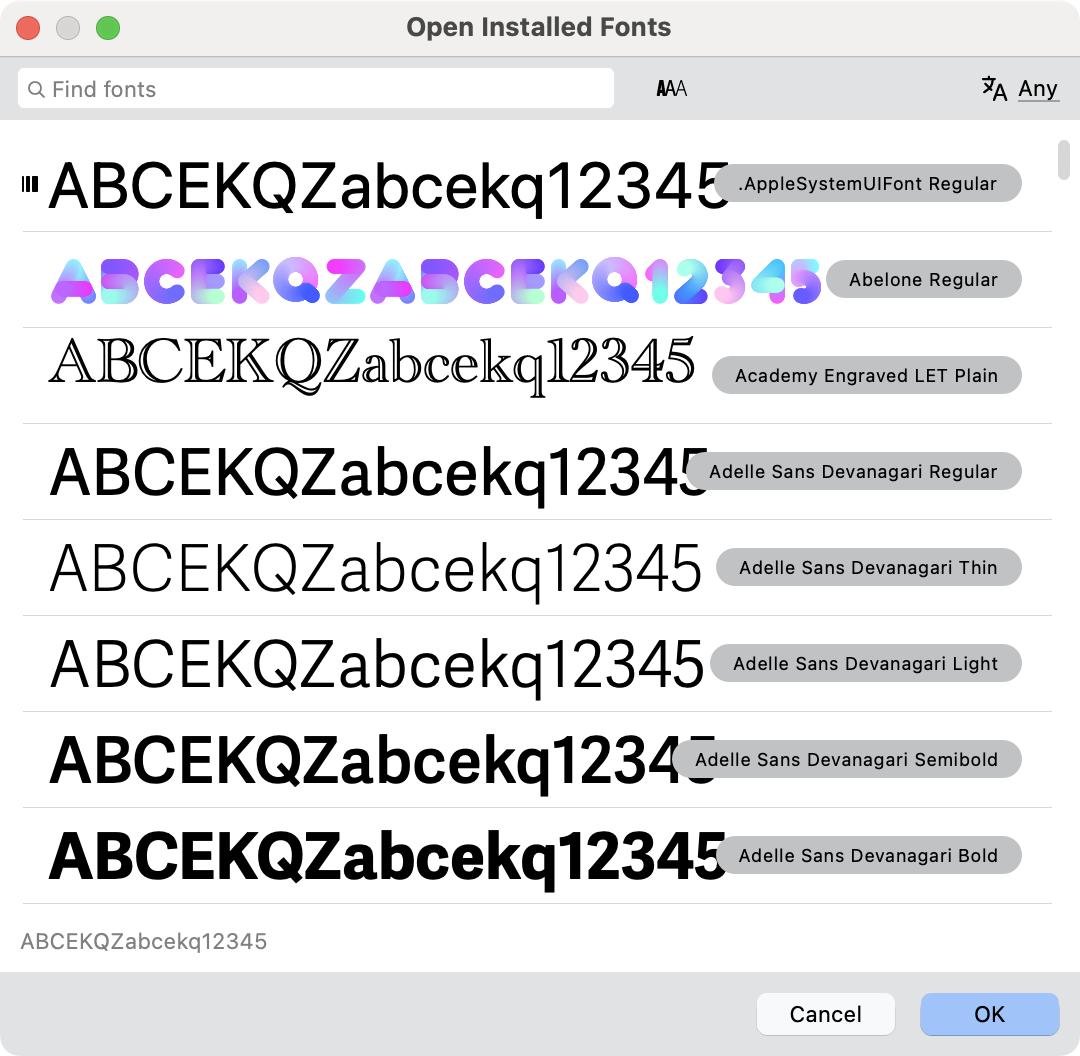
Variable fonts are marked with the  icon. You can also click on
  button to show only variable fonts in the list.
Reusing a source
Adding the same canonical file again duplicates its existing targets instead
of reparsing the source. This is useful when you want several differently
named, transformed, or configured outputs from one font.
Variable and multi-master sources
OpenType variable fonts follow a special import path, while compatible
multi-master development sources retain axes, masters, and exportable
instances. See Variable Fonts and Instances.