TransType 5 User’s Manual
User’s Manual for macOS and Windows
Copyright © 2026 Fontlab Ltd. All rights reserved.
Welcome to TransType 5!
TransType (short: TrT) is a build machine for fonts. With TransType 5, you can convert fonts between desktop, web and font-development formats. You can also customize the menu naming and grouping within a font family, create static fonts from variable or multi-master sources, and apply visual effects through filters.
Convert fonts with ease
TransType had its start in the days of the “font wars” — when the manufacturers of operating systems were battling it out over font formats. Anyone who worked with fonts needed TransType’s quick and easy conversions between the different formats and platforms. Since then, however, OpenType has established itself as the font format of choice on desktop computers.
But we have font formats used on the web (WOFF2, WOFF, EOT and SVG), formats used by font developers (UFO, VFB, VFC, VFJ, Glyphs and related design sources), and OpenType variable fonts. It still matters whether an OpenType font uses PostScript or TrueType outlines (.otf or .ttf). A number of legacy PostScript Type 1 fonts also remain in archives and production systems. TransType 5 supports these old and new workflows and makes conversion between them easier.
TransType always presents the intended target configuration of a font: how it should look and behave after conversion. Adding a source does not overwrite it. Naming edits, dimension changes, instances and effects remain in TransType’s conversion list until you export the targets.
Reduce problems with font family organization
One of the greatest hassles of converting fonts between platforms has always been the incompatible font family structures and naming systems on different operating systems. As a result of this, fonts have about a dozen different naming fields and settings which control how they appear in the applications’ font menus. Making sure that these fields follow the various specs and guidelines set up by OS and app vendors, and that they’re consistent within a font family, has always been a nightmare for font vendors, and especially for font hobbyists and beginner type designers.
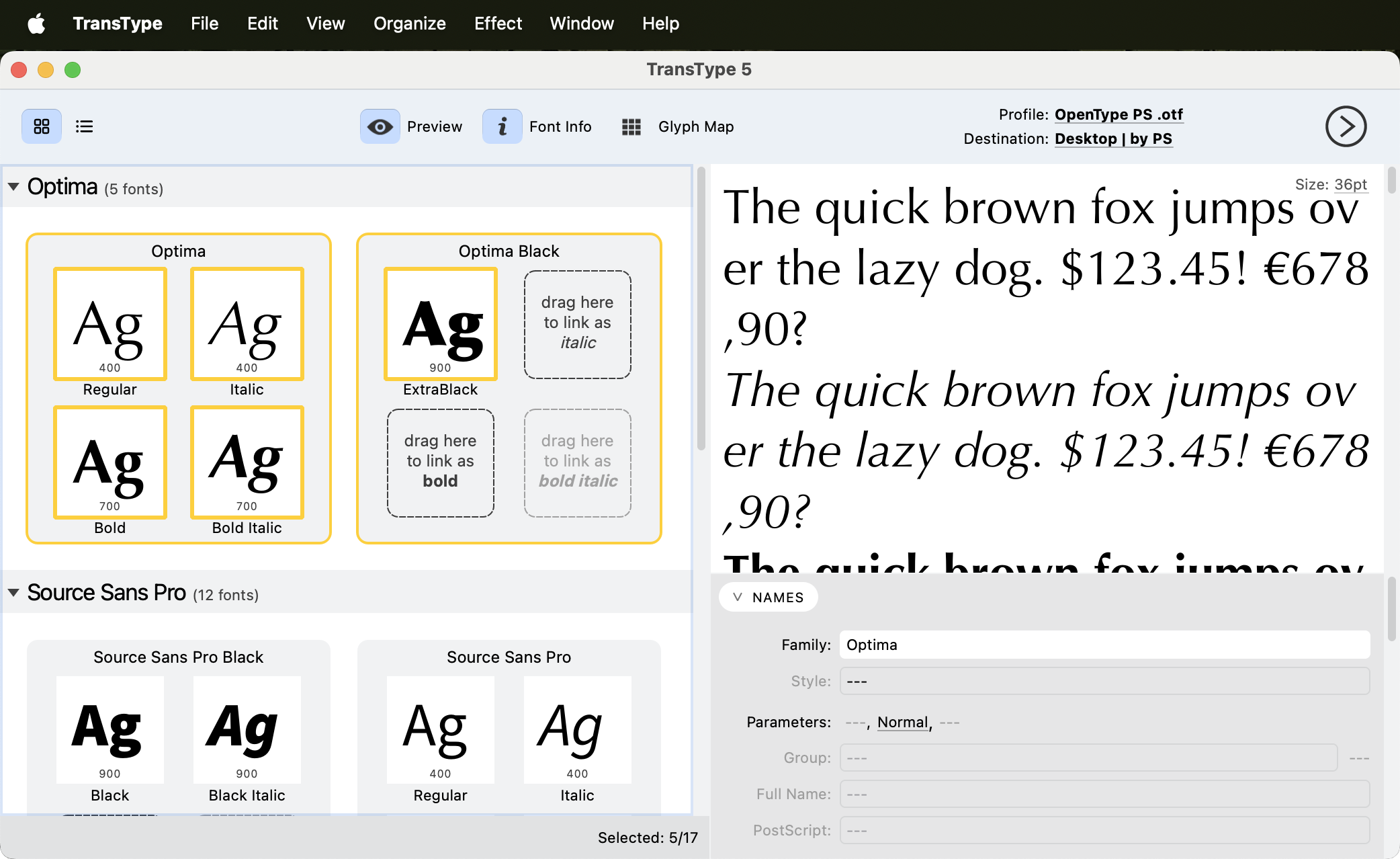
TransType takes a visual approach to font family management. You can ask it to optimize the styling and then review the proposed family structure. To make corrections, drag and drop font thumbnails or edit the relevant naming and style fields.
The same tools work with existing desktop fonts and with compatible font-development sources. They can reduce a repetitive family-naming task to a short automatic operation followed by a careful review.
Be more creative with fonts
But fonts are not just about work and hassle — they’re primarily about fun and creativity. So TransType 5 includes a number of sophisticated filters, which can be used to change the font’s appearance. Some are purely functional. The Blend filter allows the user to take any two fonts, and create a new font that looks like a bit of both — perfect for making a Medium weight in a family where the Regular is too thin, and the Bold is too dark. The Tracking filter simply adds or removes space between characters and ‘hardwires’ the changes into a new font. Other filters are much more experimental — Blur or Distort will add a grunge look to the most ‘corporate’ sans serif, while Round will add warmth to the coolest ‘techno’ letterform by softening its hard corners. The Filters are not a replacement for a professional type designer’s work, but they’re fun to use.
What TransType 5 does
For font foundries or type designers who enjoy designing typefaces and want to produce OpenType fonts or webfonts without repeatedly handling format details, TransType 5 is a companion to a full font editor. It can also turn named or custom locations from OpenType variable fonts and compatible multi-master sources into static font targets.
For professional graphic designers and art directors — TransType 5 can help them experiment with their typeface collection, customize a font’s weight, adjust the slant angle or permanently modify the font’s tracking.
For regular font users — if they’re troubled with platform and application incompatibilities, TransType 5 can fix these problems; and if they’re just bored with the fonts they have, they can try making some new ones with more pizazz.
Important note about intellectual property
Please note that many font foundries do not allow modification of their original font files, conversion to webfonts, or distribution of modified fonts. Opening a font does not grant these rights. Consult the font’s End-User License Agreement before using it in TransType, especially before producing webfonts or client deliverables.
Continue with Quick Start, or read Variable Fonts and Instances if you are working with a design space.