Conversion Preferences
Set the defaults TransType uses when it writes and previews fonts.
Open Preferences from the application menu on macOS or the Edit menu on
Windows.
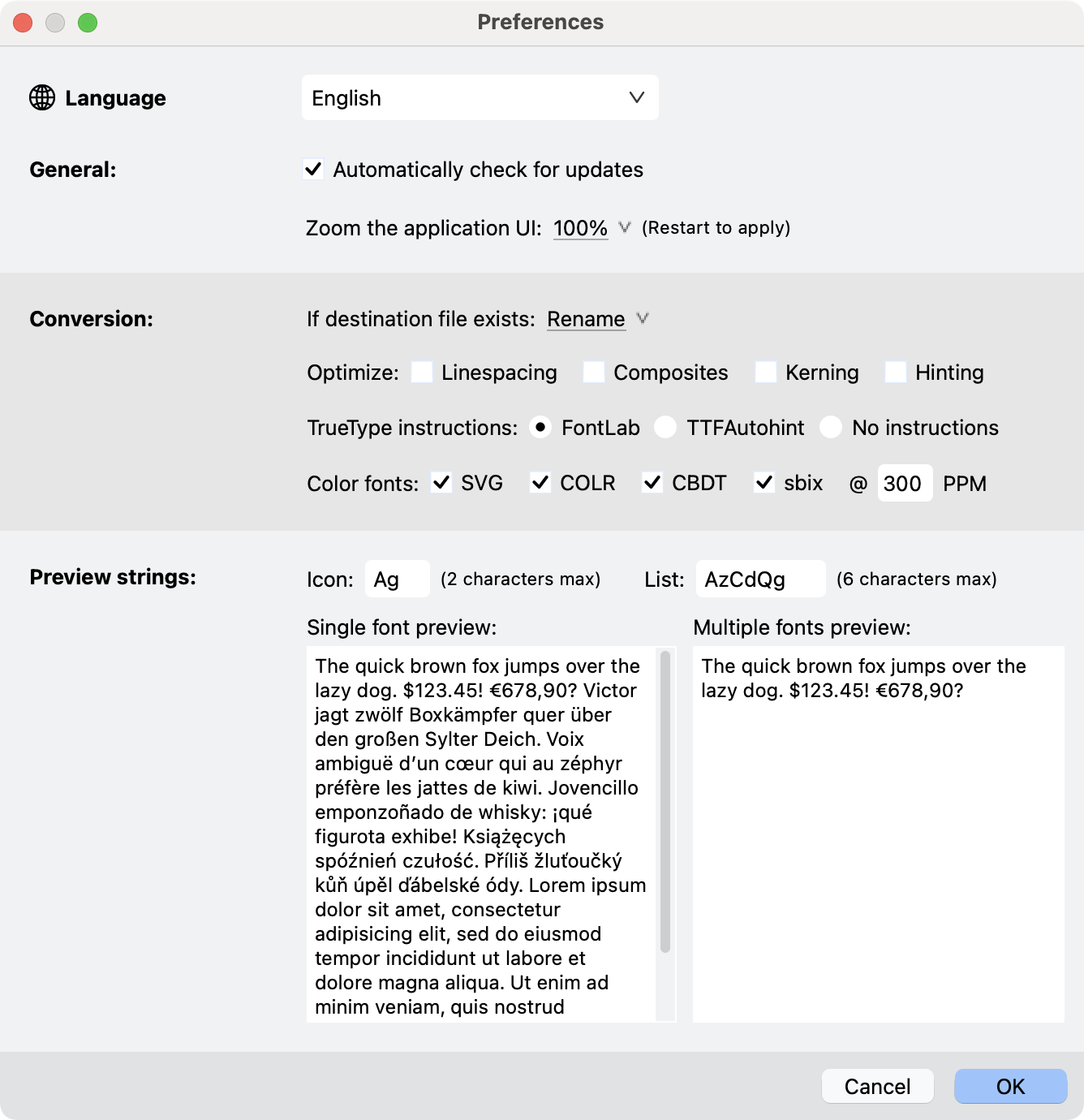
Preferences dialog.
Existing destination files
- Rename preserves the existing file and adds a number to the new name.
- Overwrite replaces the existing destination file.
- Skip leaves the existing file and does not write that target.
Optimization
- Linespacing is visible and its value is saved, but the current export
code does not read this setting. Do not rely on it to alter exported
vertical metrics; edit the Dimensions values directly instead. - Composites decomposes composites before TrueType export.
- Kerning can build or normalize an OpenType
kernfeature from available
kerning data for supported source formats. - Hinting autohints every target font using the Adobe PS autohinter (if the target is OTF or Type 1), or using the TrueType autohinter selected in the "TrueType instructions" setting below. When this setting is off, autohinting is performed when the source and target outline flavors are different (from PS to TT or from TT to PS).
TrueType instructions
The TrueType-instruction choices are:
- FontLab — retain applicable original TrueType instructions and use the
FontLab hinting path where instructions must be generated. - TTFAutohint — export an unhinted intermediate TrueType font, then process
it with TTFautohint. - No instructions — export without TrueType instructions.
These choices apply to TrueType-based OpenType and webfont output. They do not
change CFF or Type 1 hinting.
Color fonts
When a standalone OpenType export succeeds and the source contains color or
picture glyphs, the enabled switches can generate additional color
variants:
-
-SVG.ttf -
-COLR.ttf -
-sbix.ttf -
-CBDT.ttf -
-SVG.otf -
-COLR.otf -
-CBDT.otf
Generation depends on compatible source content. For example, COLR output
requires suitable vector color data, while sbix and CBDT use rasterized
strikes where needed.
These additional variants are also generated inside the webfont-package branch.
The PPM (Pixels Per eM) value controls the rasterization quality used by Overlay
Fonts filter and sbix generation. Higher values increase detail and processing
cost.
General and preview
Preferences also control:
- TransType Interface language.
- Automatic update checks where the platform build provides them.
- Application UI zoom; restart to apply.
- Short Icon and List preview strings.
- Single-font and multiple-font preview texts.